

New! Make WordPress Security Easy With Passwordless Logins
The iThemes Security Pro plugin just added a new way for you to lock down your WordPress site while making it easier for you to log in: Passwordless Logins. iThemes Security Pro already offers several ways to secure user logins on your WordPress site: The Password Requirement feature prevents the use of a weak password.

- The Password Requirement feature prevents the use of a weak password.
- Using the built-in Have I Been Pwned database check, iThemes Security Pro makes sure the password hasn’t appeared in a known database breach.
- With iThemes Security Pro, you can require everyone to use Two-Factor Authentication when logging in.

The Problem With Passwords
If you pay attention to the news surrounding cybersecurity, you have probably heard that all of the major tech companies are on a mission to kill passwords. At first, that may sound a little jarring. As long as there have been computers, we have used passwords to secure them. [pullquote]However, passwords by themselves are not a good way of proving identity, and we can do better.[/pullquote] Why? Password best practices are a hassle to implement and most users aren’t willing to add extra steps to the login process, even if it means verifying their identity in a more secure way. When given a choice, people will all choose convenience over security. The reason why 90% of Gmail users don’t use two-factor authentication is that it adds an extra step in their already busy day. Only 12% of people use a password manager because they are too tired to think about having to manage something else. According to research done by Google, using Two-Factor will prevent 100% of bot attacks and 99% of bulk phishing attacks. We understand why people don’t follow security best practices, but it doesn’t make it any less important.New! Introducing a Better Way to Secure Your Site: Passwordless Logins
Passwordless login is a new way to verify a user’s identity without actually requiring a password to login. Passwordless login is both safe and simple, increasing the likelihood that the average person will secure their account. Passwordless logins lock down your accounts and are much easier to use than traditional credentials. You may already be using a form of passwordless login without realizing it. For example, if you are using a thumbprint or Face ID to open your phone, you are using a form of passwordless login. Keep in mind that a passwordless login doesn’t necessarily mean a password isn’t assigned to the user. Your phone still requires you to set a password or a PIN, but you do not need to enter one every time you unlock your phone. [pullquote]The Passwordless Login method provided by iThemes Security Pro will send you an email with a “magic link,” or a link that will log you into WordPress with a click of a button.[/pullquote] This way, the passwordless login requires you to have access to the actual email account associated with the user, providing another layer of security.Getting Started with WordPress Passwordless Login
From your WordPress dashboard, navigate to the iThemes Security Pro menu. You’ll see a new Passwordless Login module. Enable the Passwordless Login module and then click the Configure Settings button.
 From the settings screen, several settings are listed:
- Enable Passwordless Login – Enable to start using the passwordless login method.
- Passwordless Login Per-User Availability – By default, the passwordless login method is enabled for all users. Changing the default to disabled for all users will require every user to enable the method manually. Set the to Enabled by Default.
- Allow Two-Factor Bypass for Passwordless Login – The allow two-factor bypass option will give selected users to option to disable two-factor authentication when using the passwordless login method. Note: Users should only bypass two-factor authentication if they have also enabled two-factor authentication for the email account that will receive the Passwordless Login Link.
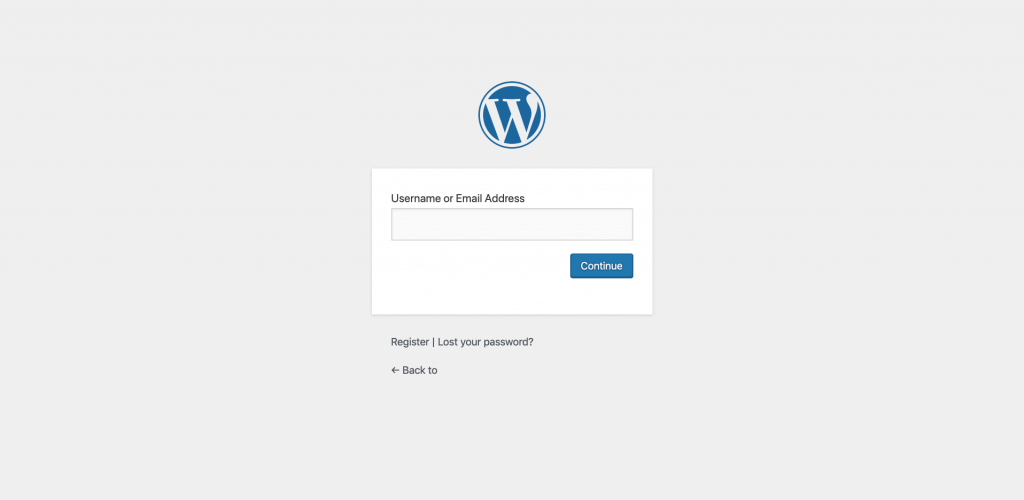
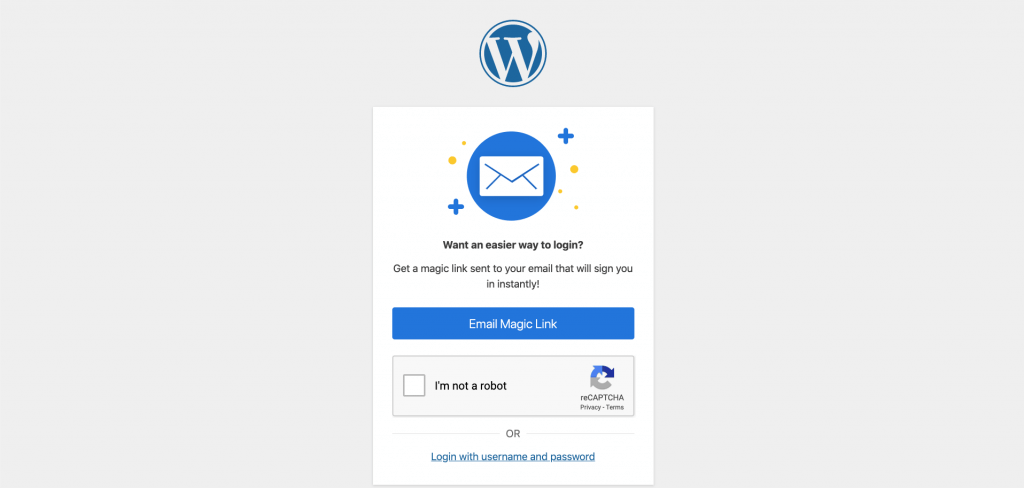
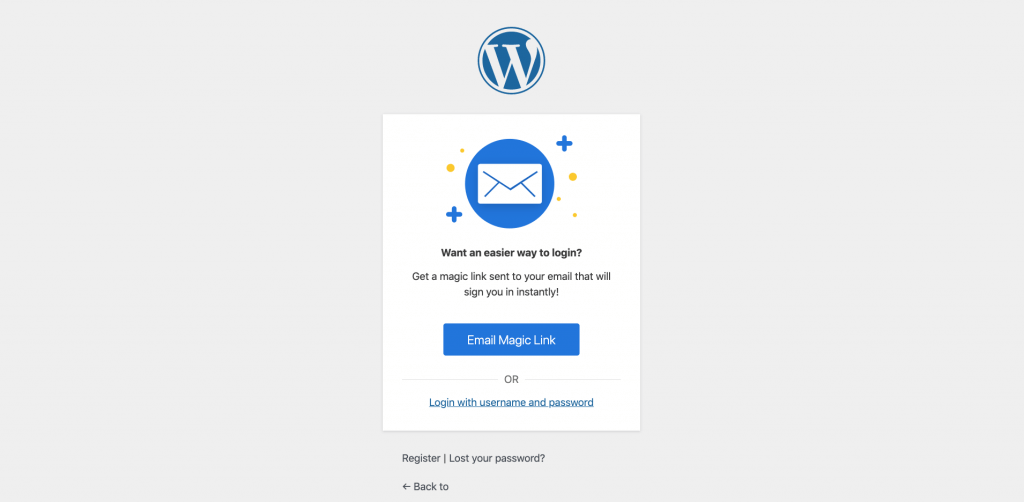
- Passwordless Login Flow – Choose what screen users see first in the passwordless login flow: Method First and Username First. We recommend setting the Passwordless Login Flow to Username First to allow users to send the Magic Link email in two steps. Here are screenshots of the two different Passwordless Login Flow screens for this settings option:
- Username FirstThe Username First screen allows users to enter their username and email address first before selecting the login method.
- Method First The Method First screen allows users to choose between the traditional Passwordless Login methods before entering a username or email address.
- Username FirstThe Username First screen allows users to enter their username and email address first before selecting the login method.
How the Passwordless Login Method Works
Now that we have enabled Passwordless Login, it is time to take it for a test drive. The first thing we see on our login page is a place to enter our username or password. Enter your username and then click the Continue button.
On the next screen, click the Email Magic Link button to send the email containing the passwordless login link.
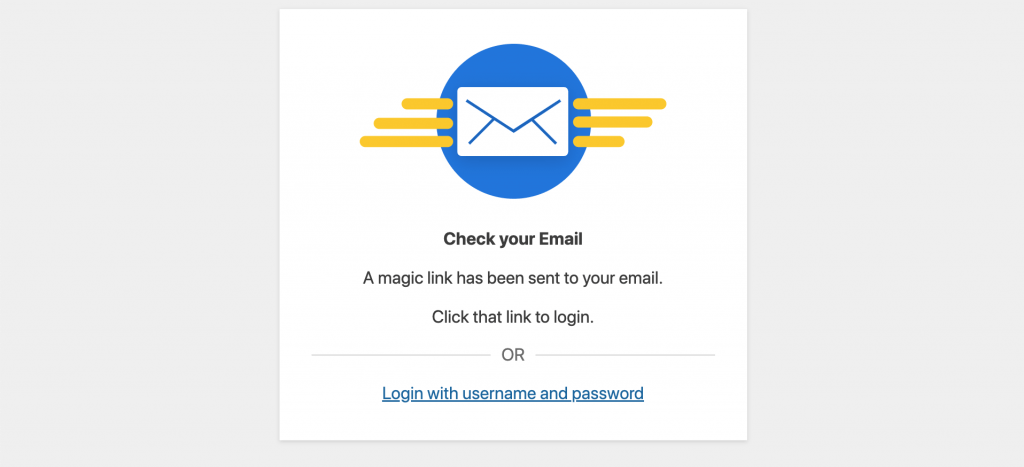
 You will now see a message confirming the email has been sent.
 In your email inbox, open the Magic Link email and the Login Now button.
 If you have previously enabled two-factor authentication, you will be asked if you want to Enable or Disable two-factor when using the passwordless login method.
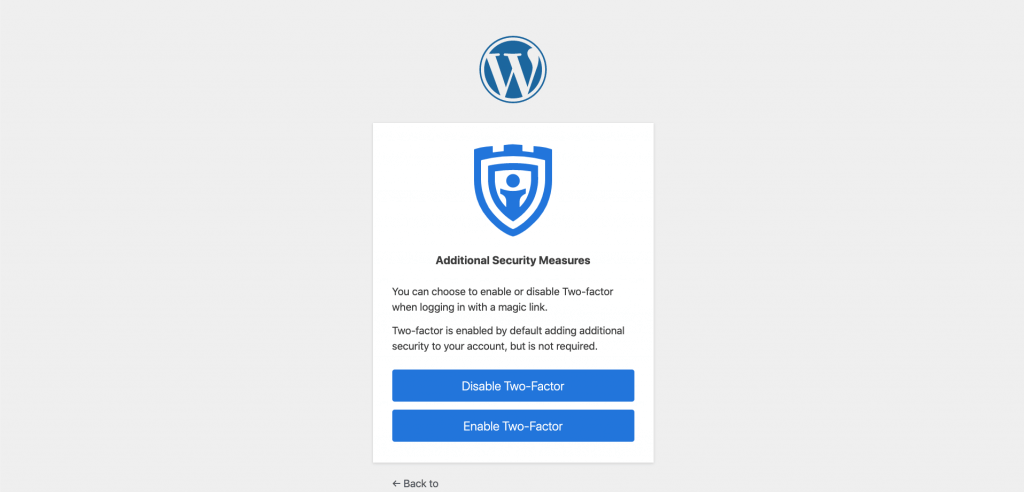 If you choose to disable two-factor when using passwordless logins, you will now be able to log into your WordPress dashboard without entering a password or two-factor code.
Wrapping Up: Better WordPress Login Security with Passwordless Login + Free Ebook
Is sending a login link to my email address safe?
We only recommend using the Passwordless Login feature if you are using two-factor authentication on your email account. That said, if a malicious actor has access to your email account, they can already tell WordPress to send an email to reset the password. Sending a login link isn’t adding any additional vulnerabilities to your site. You can still require two-authentication when using a Magic Link to increase the security of the login method.Who Should Use Passwordless Logins?
We created Passwordless Logins as an alternative to using a weak password and no form two-factor authentication. The goal is to increase adoption of 2fa and secure passwords to make the WordPress community safer. With that in mind, Passwordless Logins are for people who want to increase the security of their site without sacrificing usability. With Passwordless Login, WordPress security has never been easier! The New iThemes Security Pro Passwordless Login method lets you increase security without decreasing usability, which is a win for everybody.
We also have a new ebook that unpacks how to get started with passwordless login: Getting Started with Passwordless Login.
In this new ebook, you’ll learn more about the passwordless future and the different methods of passwordless login. We also cover how to add passwordless login to your WordPress website and wow the passwordless login method works in iThemes Security Pro.
[content_upgrade cu_id=”51418″]Learn more about how to get started with passwordless logins. Download the new ebook: Getting Started with Passwordless Login[content_upgrade_button]Download now[/content_upgrade_button][/content_upgrade]
With Passwordless Login, WordPress security has never been easier! The New iThemes Security Pro Passwordless Login method lets you increase security without decreasing usability, which is a win for everybody.
We also have a new ebook that unpacks how to get started with passwordless login: Getting Started with Passwordless Login.
In this new ebook, you’ll learn more about the passwordless future and the different methods of passwordless login. We also cover how to add passwordless login to your WordPress website and wow the passwordless login method works in iThemes Security Pro.
[content_upgrade cu_id=”51418″]Learn more about how to get started with passwordless logins. Download the new ebook: Getting Started with Passwordless Login[content_upgrade_button]Download now[/content_upgrade_button][/content_upgrade]
Register for the Webinar: The Passwordless Future of WordPress
In this webinar, Michael Moore will explain why passwords are soon to be a relic of the past and why are all of the major tech companies trying to kill passwords. You will learn how to use the new iThemes Security Pro Passwordless Login method to increase security without sacrificing usability.Get the iThemes Security Pro Plugin Today
iThemes Security Pro, our WordPress security plugin, offers 30+ ways to secure and protect your website from common WordPress security vulnerabilities. With WordPress two-factor authentication, brute force protection, strong password enforcement, and more, you can add an extra layer of security to your website.Get iThemes Security Pro
Get Release Notes for SolidWP products delivered right to your inbox.
Sign up
Join us for the next Solid Academy Webinar!
Free weekly webinars that will help you master WordPress and increase your business's bottom line.
What is a WordPress Phishing Attack?
Learn how to identify and prevent phishing attacks on WordPress websites.
Kiki SheldonWebsite Protection: 5 Ways to Keep Your Website Safe
Robust website protection is the shield that stands between your business and relentless cyber attacks. Prioritizing website protection enables businesses to fortify defenses to safeguard their online presence and preserve the trust of their customers in the face of ever-evolving cybersecurity threats.
Kiki Sheldon23 Ideas To Grow Your WordPress Business in 2023
WordPress is the most popular website-building platform worldwide, trusted by numerous brands. WordPress enables you to build a user-friendly and highly reliable site, together with tools and plugins to enhance your marketing and work like a lead magnet. All these features make WordPress the platform chosen by more than 43% of businesses globally.
SolidWP Editorial TeamSign up now — Get SolidWP updates and valuable content straight to your inbox
Sign up
Get started with confidence — risk free, guaranteed




