
New! Manage Multiple Sites More Efficiently than Ever with Solid Central
If you manage more than just a handful of WordPress sites, you already know how complex it can be. Just staying on top of which sites have critical updates available (let alone actually running the updates) can be a time-consuming chore, especially when sites are spread across multiple hosting providers and accounts.
We built Solid Central precisely to help with situations like this, and today we’re excited to announce a new initiative to make managing WordPress sites in bulk easier than ever before.
Over the next few months, we’ll be rolling out a series of enhancements to Solid Central that are designed to streamline your workflow, saving you time and reducing the hassle of managing multiple sites.
Even better: all users of Solid Central have access to the first set of enhancements now!
Install Updates in Bulk
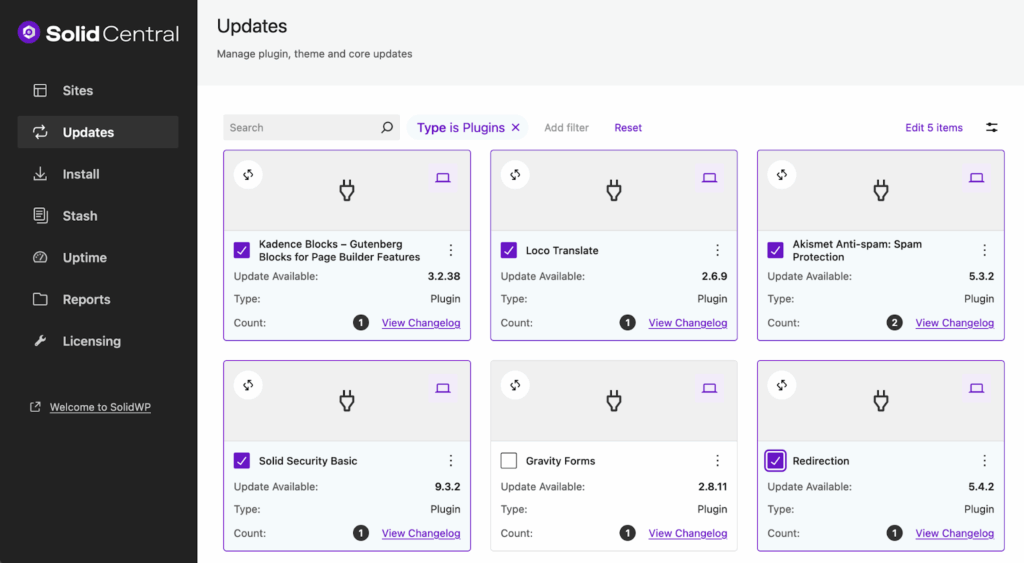
Starting today, the Updates screen in Solid Central has a fresh new look that allows you to do some exciting new things!
Select multiple updates to apply across all sites
You can choose to switch to the new Grid layout:
Or stick with the more traditional (but new and improved!) Table layout:
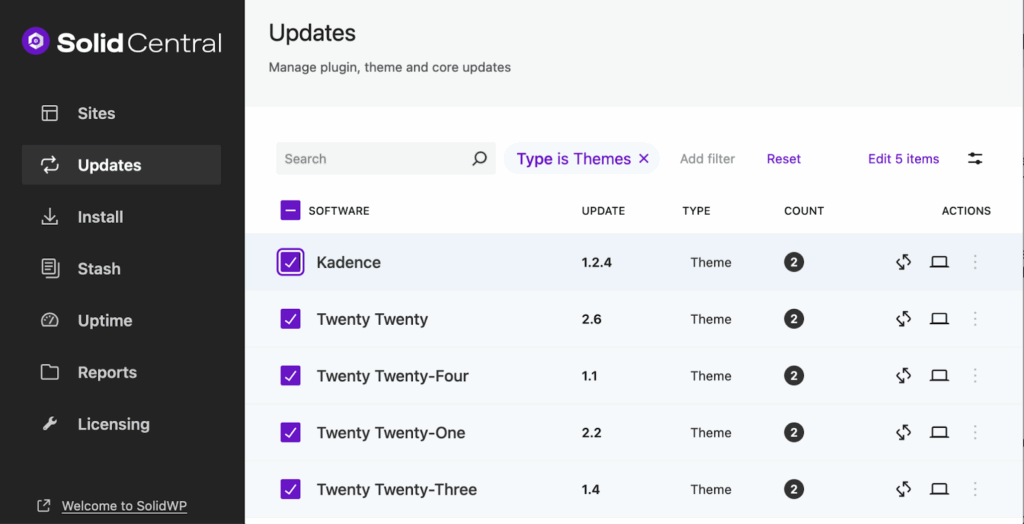
Either way, say goodbye to clicking over and over just to get your update tasks completed!
Selectively apply an update to multiple sites at once
Not sure you’re ready to update on all sites right now? Click or tap an available update to choose which sites to apply it to!
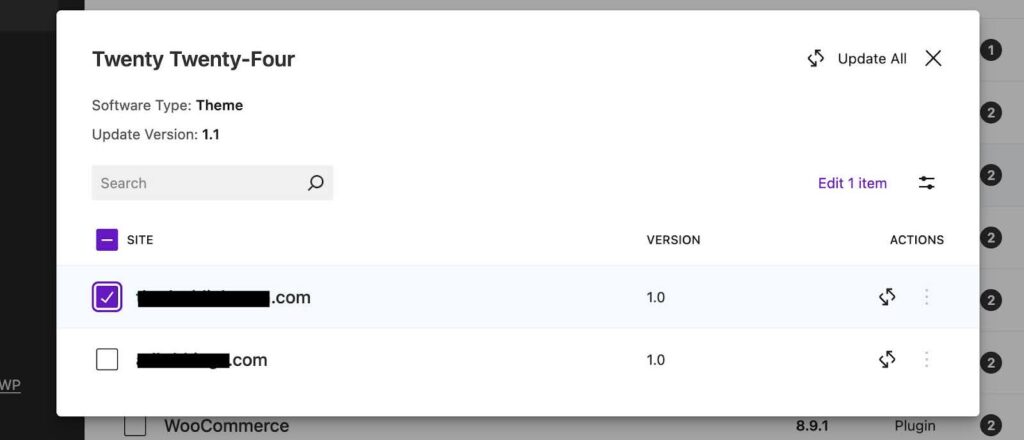
You decide which sites get the update, and Central automatically does the work of applying the updates for you.
Take Advantage of Similar Enhancements in the Single Site View
These more powerful tools aren’t just available from Central’s Updates screen. You’ll also find them available when you navigate from the Sites screen to a single Site, then click Plugins or Themes. You’ll also find some extra goodies in that view!
Coming Soon: More Tools for Managing Sites in Bulk
The more powerful views and the ability to kick off multiple updates at once will start saving you time right now, but these are just the beginning! Here’s a sneak peek at just a few of the new tools we’re planning to roll out in the days ahead:
- More precise control using Tags you’ve applied to your sites (try it out on Central’s “Sites” screen if you haven’t already!)
- A super handy Timeline view that will keep track of activity on your sites, including which updates to plugins, themes, or even WordPress core were applied at which times. You’ll even be able to tell which actions were requested in bulk and see queued actions as Central handles them for you.
- Powerful new Security features allow you to mitigate security risks in bulk. These tools will be even more valuable if you’re using Solid Security!
Why Choose Solid Central to Manage Your WordPress Websites?
These enhancements make Solid Central even more powerful than before, helping simplify the way you manage your sites and making it an invaluable asset for any site manager or developer.
As we continue to roll out these improvements, we’ve made it our mission to help you:
- Manage More Efficiently: Save time by performing bulk updates and actions, reducing repetitive tasks.
- Organize Your Work: Easily find and manage sites using tags and filters.
- Have More Control: Monitor and confirm the success of your actions with visual feedback and comprehensive records.
- Streamline Your Workflow: Manage multiple sites effortlessly, freeing up your time to focus on more critical tasks.
Embrace the future of site management with Solid Central. Transform your workflow, enhance your productivity, and make managing multiple sites a breeze.
Get Solid Central today and take the first step towards a more efficient, organized, and powerful site management experience.
Have Questions?
If you have any questions about this new feature, don’t hesitate to contact our support team, who are standing by.



