

Incremental Backups: A WordPress Site Owner’s Guide
Incremental backups are a smart solution for WordPress site owners. Unlike full backups that duplicate all data or differential backups that save changes since the last full backup, incremental backups only capture the changes made since the last backup. This efficiency conserves storage space, reduces backup times, and minimizes strain on server resources, making them ideal for sites with frequently updated content.

Incremental backups are a smart solution for WordPress site owners. Unlike full backups that duplicate all data or differential backups that save changes since the last full backup, incremental backups only capture the changes made since the last backup.
This efficiency conserves storage space, reduces backup times, and minimizes strain on server resources, making them ideal for sites with frequently updated content.
In this article, we’ll explore the pros and cons of incremental backups, review five leading plugins, and compare them to our own software solution — Solid Backups — NextGen — so you can make an informed choice regarding your own data security.
Pros and cons of incremental backups
Incremental backups, like everything in life, come with their own set of advantages and disadvantages. Let’s take a look at the detail:
Pros of incremental backups
- Efficiency: As mentioned, incremental backups are faster and more efficient as they only back up data that has changed since the last backup. This approach reduces the time required for backups and minimizes server load.
- Storage savings: By only storing changes rather than duplicating all data, incremental backups require considerably less storage space compared to full backups.
- Frequent backups: The ability to perform backups more frequently means that, in the event of an issue, there’s less data at risk of loss, providing greater peace of mind.
- Minimal server impact: Because incremental backups are smaller and faster than full ones, they have less impact on storage. Solid Backups — NextGen backs up your site to SolidWP’s cloud servers, ensuring performance is unaffected throughout any backup processes.
Cons of incremental backups
- Complex restoration: Depending on the method used, restoring from incremental backups can be a slower and more complex process. However, this isn’t the case with Solid Backups — NextGen, as restoration can be achieved in a single click.
- Dependency on backup chain: If any incremental backup in the chain is missing or corrupted, the entire restoration process can fail.
- Management complexity: Keeping track of various backups and ensuring they are all functioning correctly may require additional knowledge, although the best software will simplify the procedure for you.
Choosing the right backup solution for your WordPress site
When it comes to backing up your WordPress site, numerous dedicated tools are available, and choosing the right solution involves careful consideration of several factors:
- Backup frequency: Determine how often you need to back up your site. Look for solutions that offer flexible scheduling options to accommodate your specific needs.
- Storage options: Opt for solutions that provide secure offsite storage options, such as Amazon S3, Dropbox, or Microsoft OneDrive, to ensure your backups are safe from local hardware failures. Some backups solutions include their own offsite storage option, making it unnecessary to use a third-party provider.

- Ease of use: Solutions with logical interfaces and comprehensive guides make setting up and managing backups much simpler.
- Restore capabilities: Evaluate how quickly and easily you can restore your site from a backup. Look for solutions that offer one-click restore options and selective restoration features for added convenience.
- Performance impact: Assess the impact of the backup process on your site’s performance. Solutions that minimize server load are ideal, ensuring your website remains responsive during backups.
- Security features: Finally, ensure your chosen backup solution offers encrypted backups and secure storage to protect your data from unauthorized access and data breaches.
6 software solutions for incremental WordPress backups
Let’s explore some of the leading backup solutions available for WordPress, focusing on their features, pros, and cons to help you make an informed decision regarding your own website.
1. Solid Backups — NextGen

Solid Backups – NextGen is a premium backup solution that ensures your website’s data is secure with features like automated backups, one-click restoration, and off-site cloud storage.
It provides users with a daily backup and — following an initial full-site backup — uses incremental versions thereafter, saving time and storage space. In addition to backing up any file changes made since the previous day, the database is also backed up in full. This ensures your site is in the safest situation possible, and as everything is conducted on SolidWP’s servers, your site’s speed and performance are completely unaffected.
Pricing is highly scalable, so you can upgrade as you need to, in line with the demands of your business.
- Key features: Automated scheduled backups, one-click restore, offsite storage using SolidWP’s ultra-secure cloud servers, integration with Solid’s centralized management dashboard and Activity Timeline.
- Pros: User-friendly interface, robust security with encrypted backups, excellent customer support, centralized dashboard allows for simple backup management.
- Cons: No free trial option.
- Pricing: Plans start at $99/year for a single site license.
2. UpdraftPlus

UpdraftPlus is a widely-used backup plugin with over 3 million active installations, known for its ease of use and extensive storage options. It features a user-friendly interface that caters to both beginners and advanced users. Backups can be stored in various remote locations, including Dropbox and Amazon S3, ensuring flexibility and security.
- Key features: Scheduled backups, one-click restores, multiple storage options, database encryption, multisite support.
- Pros: Useful free version, flexible scheduling, numerous storage options.
- Cons: Lacks real-time backups.
- Pricing: Premium plans start at $70/year for 2 sites.
3. Jetpack VaultPress Backup
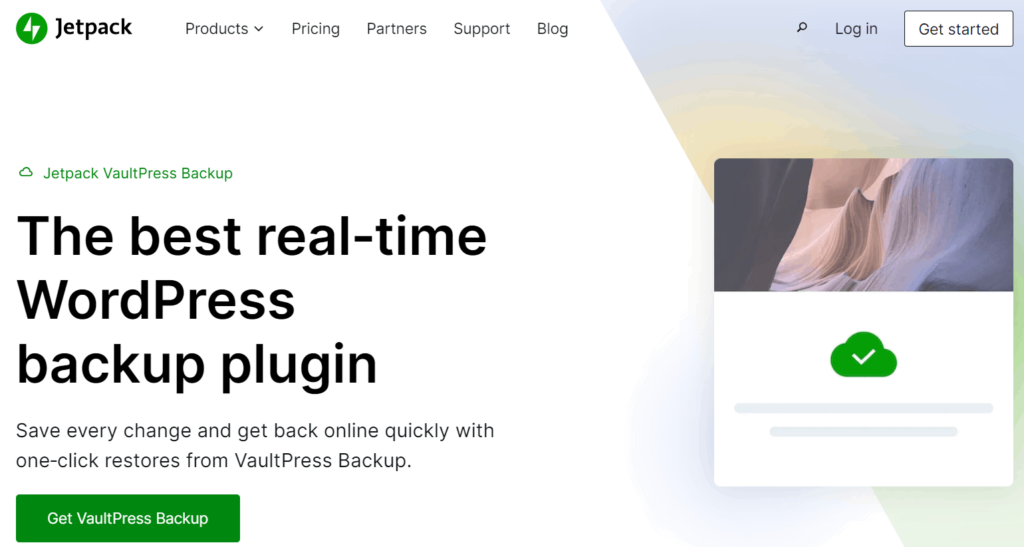
VaultPress, now integrated into the Jetpack plugin suite, is a real-time backup solution tailored for WordPress sites. Developed by Automattic, the company behind WordPress.com, VaultPress stores backups on multiple global servers, ensuring your data is well-protected.
- Key features: Real-time backups, one-click restores, WooCommerce support.
- Pros: Automatic real-time backups, easy restores, built-in security scanning.
- Cons: A 30-day backup archive won’t be enough for many websites.
- Pricing: $59.40/year.
4. WPvivid Backup & Migration

WPvivid is a comprehensive backup and migration plugin that simplifies website data protection. It offers a user-friendly interface and various features that cater to both website owners and developers.
- Key features: Full site backups, automatic scheduled backups, flexible remote storage options, one-click restoration, and easy website migration.
- Pros: Easy to use with a clear workflow, customizable backup options, supports WordPress multisites.
- Cons: Some advanced features are only available in more premium versions; shared hosting users may encounter issues restoring backups from cloud storage.
- Pricing: Plans start at $49/year for 2 domains, with higher tiers available for more domains and features.
5. ManageWP

ManageWP is an all-in-one WordPress site management platform that simplifies managing multiple websites. In addition to backup functionality, it offers tools for updating plugins and themes, monitoring uptime, and generating client reports.
- Key features: Scheduled and on-demand backups, one-click restores, site management tools.
- Pros: All-in-one solution for managing multiple sites, client reports.
- Cons: Backups are just one feature of a larger platform, which may be overkill for some users.
- Pricing: The backup feature is included in plans starting at $2/month per site.
6. BlogVault

BlogVault is a comprehensive solution for WordPress that provides real-time incremental backups, easy restores, and a 90-day backup archive. The plugin continuously monitors your website for changes and includes security features like malware scanning and firewall protection, as well as site migration and staging tools.
- Key features: Real-time incremental backups, one-click staging, excellent security.
- Pros: Comprehensive feature set, 90-day backup archive, knowledgeable support.
- Cons: Can be pricey for multiple sites when compared to other options.
- Pricing: Plans start at $149/year for 1 site.
Why choose Solid Backups — NextGen for your WordPress site?
“Given its range of features and ease of use, Solid Backups — NextGen is the ultimate solution for managing incremental backups and more, making it the preferred choice for WordPress site owners. With a suite of advanced features, it ensures that your data is not only secure but also easy to manage.”
David Johnson, Product Owner, Solid WP
So what makes Solid Backups — NextGen stand out from the cloud? Take a look at the following features:
Comprehensive incremental backups
Solid Backups — NextGen saves file changes since the last backup, making it ideal for large sites without straining server resources. You’ll also gain from daily database backups to guarantee continuous data protection, ensuring your website remains safe and up-to-date.

Secure offsite storage
All backup archives are encrypted during storage and transfer, providing peace of mind. You won’t need to set up accounts with remote storage providers, as everything is stored on SolidWP’s servers in the cloud.
One-click restore options
Restoring your site is quick and easy with a one-click restore feature, minimizing downtime. Sold Backups – NextGen also offers an Activity Timeline view for backups, providing insights into important modifications made to your website. This feature is essential for determining which backup to restore. For instance, by examining the plugins that were installed, activated, or updated between two daily backups, you can select to revert to the backup taken just before a problem on the site arose.

Optimized performance and server resource management
Solid Backups — NextGen addresses concerns about server strain by handling everything offsite. We’ll handle the backups via our servers, and your website will remain responsive.
Security features
All backups are encrypted. Our platform is committed to best practices in software development, including clear code comments and prompt security updates to safeguard your data.
Ease of use and customization
The intuitive user interface makes setting up and customizing backup schedules straightforward. Solid Backups — NextGen also offers guides and tutorials to help users get started quickly, ensuring a smooth experience.
Customer support and reliability
Our software provides 24/7 customer support with quick response times, along with a comprehensive knowledge base in the Solid Help Center. This commitment to customer service ensures that website owners can rely on Solid Backups — NextGen for all their data protection needs.
Pricing
At just $99/year for one site, scalable plans grow in line with your business, making it a cost-effective solution for managing your WordPress backups.
Take control of your WordPress backup strategy with Solid Backups — NextGen
Storing incremental backups ensures that your data is protected, minimizing the risks of data loss, downtime, and security breaches that can wipe out your online presence.
While numerous backup options exist, the standout features of Solid Backups — NextGen set it apart from the competition. Automated incremental file backups, secure offsite storage with Solid WP’s servers, and one-click restore options make it the ultimate solution for WordPress site owners.
Our software effectively addresses common challenges found with many backup solutions, such as minimizing server load, ensuring data security, and managing backups across multiple sites. With its intuitive interface and detailed guides, using Solid Backups is simple, even for those without technical expertise.
Why leave your website’s safety to chance? Take control of your backup management today with Solid Backups — NextGen and secure your data in seconds.
Join us for the next Solid Academy Webinar!
Free weekly webinars that will help you master WordPress and increase your business's bottom line.
What is a WordPress Phishing Attack?
Learn how to identify and prevent phishing attacks on WordPress websites.
Kiki SheldonWebsite Protection: 5 Ways to Keep Your Website Safe
Robust website protection is the shield that stands between your business and relentless cyber attacks. Prioritizing website protection enables businesses to fortify defenses to safeguard their online presence and preserve the trust of their customers in the face of ever-evolving cybersecurity threats.
Kiki Sheldon23 Ideas To Grow Your WordPress Business in 2023
WordPress is the most popular website-building platform worldwide, trusted by numerous brands. WordPress enables you to build a user-friendly and highly reliable site, together with tools and plugins to enhance your marketing and work like a lead magnet. All these features make WordPress the platform chosen by more than 43% of businesses globally.
SolidWP Editorial TeamSign up now — Get SolidWP updates and valuable content straight to your inbox
Sign up
Get started with confidence — risk free, guaranteed





