


We’ve just rolled out a major update to the Sites List in Solid Central.
If you’ve ever managed more than a handful of WordPress sites, you know how important visibility and speed are. The old Sites List in Solid Central did the job—but it didn’t keep up with what WordPress professionals need today.
That’s why we’ve rebuilt it.
The Problem: Too Many Clicks, Not Enough Clarity
The original Sites List had limitations:
- Key data, like updates, vulnerabilities, downtime, and backups were scattered across multiple views
- Managing large site portfolios often led to “tab fatigue”
- Performance slowed as more sites were added
- The UI felt dated and didn’t reflect the rest of the modern WordPress experience
Whether you were managing 5 sites or 50, the workflow was slower and less intuitive than it needed to be.
The Solution: A Smarter, Cleaner Sites List
We’ve reimagined the Sites List from the ground up—starting with a modern frontend built on the same React dataview library used in WordPress Core.
Here’s what’s new:
- A cleaner, faster interface built for scale and clarity
- Pop-up detail views for more in-depth updates, vulnerability, downtime, and backup insights
- Consolidated site actions menu puts site management tools a click away
- Improved site refresh logic for better performance with fewer API calls
- More visibility at-a-glance, including filterable and sortable columns for updates, vulnerabilities, downtime, and backups
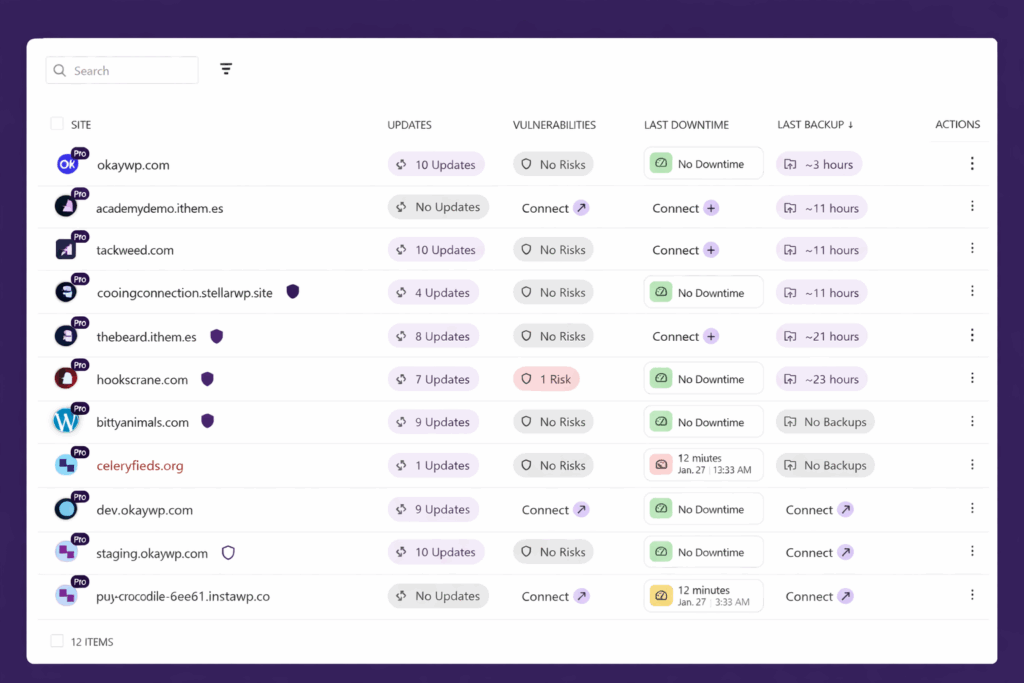
From a List to a Command Center
This update turns the Sites List into more than just a directory. It’s now the central command hub for your portfolio—whether you’re managing 10 sites or 100.
By surfacing key data points and eliminating unnecessary page loads, Solid Central now puts actionable insights front and center.
You’ll spend less time hunting for issues and more time getting ahead of them.
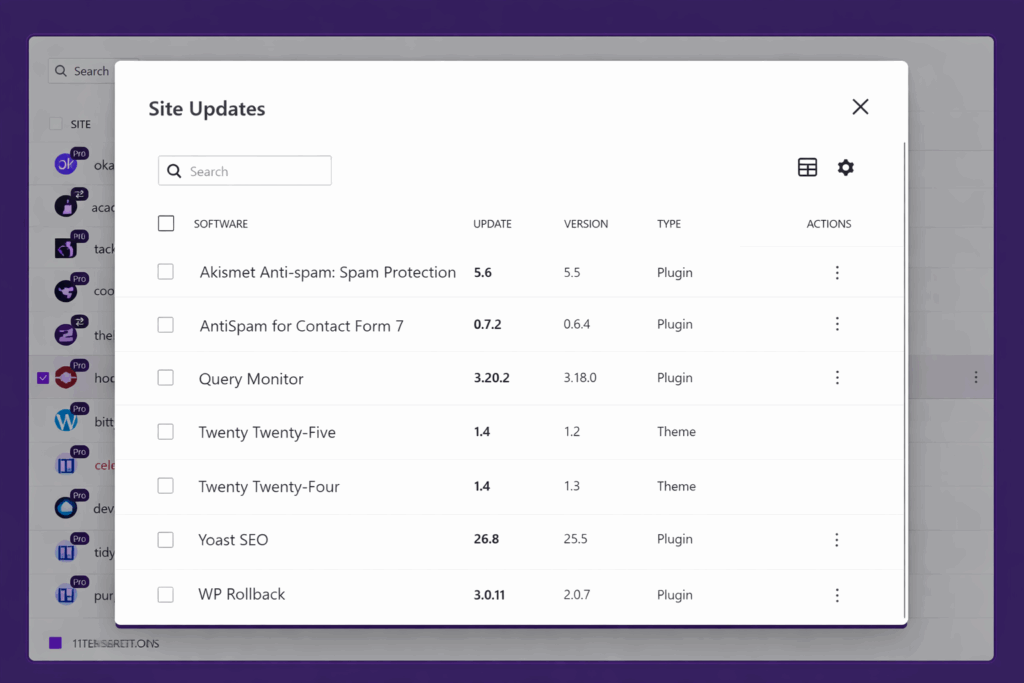
What This Means for You
Whether you’re using Central Free or part of the full Solid Suite, this is a win for your workflow:
- For freelancers and agency owners: Fewer support calls, clearer reporting, and faster visibility across client sites.
- For developers and site managers: Less jumping between plugins or panels. More doing.
- For everyone: A modernized experience that meets the expectations of today’s WordPress pros.
This update is part of a broader redesign coming to Solid Central. It’s the first step—but a big one.
Ready to Upgrade Your Workflow?
If you’re not already using Solid Central, now’s the time.
Get faster updates, better visibility, and streamlined site management—built for WordPress pros who don’t have time to waste.
Effective site management starts with a stronger foundation—and this is just the beginning.
Join us for the next Solid Academy Webinar!
Free weekly webinars that will help you master WordPress and increase your business's bottom line.
What is a WordPress Phishing Attack?
Learn how to identify and prevent phishing attacks on WordPress websites.
Kiki SheldonWebsite Protection: 5 Ways to Keep Your Website Safe
Robust website protection is the shield that stands between your business and relentless cyber attacks. Prioritizing website protection enables businesses to fortify defenses to safeguard their online presence and preserve the trust of their customers in the face of ever-evolving cybersecurity threats.
Kiki Sheldon23 Ideas To Grow Your WordPress Business in 2023
WordPress is the most popular website-building platform worldwide, trusted by numerous brands. WordPress enables you to build a user-friendly and highly reliable site, together with tools and plugins to enhance your marketing and work like a lead magnet. All these features make WordPress the platform chosen by more than 43% of businesses globally.
SolidWP Editorial TeamSign up now — Get SolidWP updates and valuable content straight to your inbox
Sign up
Get started with confidence — risk free, guaranteed




