

WordPress Backup Solutions: Best Picks & Tips
For those running successful WordPress websites, backup solutions are no less important than creating an excellent user experience. Without a backup, you’re left vulnerable to the talents of hackers, server failures, and human error — potentially resulting in data loss, downtime, and damage to your online reputation.

For those running successful WordPress websites, backup solutions are no less important than creating an excellent user experience. Without a backup, you’re left vulnerable to the talents of hackers, server failures, and human error — potentially resulting in data loss, downtime, and damage to your online reputation.
WordPress backup solutions are built for the task at hand. The best versions can automate the backup process and securely store your data offsite, providing a lifeline when disaster strikes. But with so many options available, how to choose the right one for your site?
This article will explore the main factors to consider when choosing the best WordPress backup tool, and put five leading contenders on the radar. We’ll also explore how these tools stack up against our own software powerhouse Solid Backup — NextGen, helping you make an informed decision regarding your own backup solution.
Key factors to consider when choosing a WordPress backup solution
When selecting a WordPress backup tool, site owners need to consider several key factors to ensure all of their backup and restoration needs are met:
- Ease of use: All software should have a user-friendly interface, allowing those without extensive technical knowledge to reap all the benefits. A straightforward, intuitive design saves time and reduces the risk of misconfiguration.
- Backup frequency: Busy websites that frequently update content need options for regular backups. Look for a solution that offers daily or even real-time backups to minimize potential data loss in case of an unexpected issue.
- Storage solutions: Efficient storage solutions are a must, and software should integrate with trustworthy external cloud storage platforms. This ensures that backups are stored securely off-site, protecting them from local server failures.
- Security features: Encryption capabilities are needed to securely store backup files and protect them against unauthorized access attempts. A tool with advanced security measures brings additional peace of mind.
- Support and updates: Reliable customer support and regular updates help address new security threats and compatibility issues. Choose software with a responsive support team and a track record of timely updates to ensure that your backups remain protected as your website evolves.
- Performance impact: Check out any impact a tool has on performance, especially if you’re running a large website. An ideal backup solution should be able to handle your site’s size without significantly slowing it down, ensuring the customer experience is unaffected.
Why premium solutions outshine free ones
While free WordPress backup and restore solutions may seem like an attractive option for cost-conscious users, the additional features offered by premium versions more than justify the investment in the long run.
Free software often lacks the advanced security measures, customization options, and dedicated support that are essential for ensuring the safety and reliability of your website backups.
Let’s take a look at this in detail:
Enhanced security features
Enhanced security features give premium solutions a major advantage over freebies. These tools often include encryption and multi-factor authentication, both of which protect against data breaches, malware attacks, and attempts at gaining unauthorized access.
Better customization options
Premium versions offer better customization options, allowing you to tailor your backup strategy to your specific needs. For example, some tools allow you to set subfolders for each website and create customizable backup schedules.
Software that gives site admins complete control can reduce user errors and make backup management more efficient. This level of flexibility is rarely found in freebies, which often have limited settings and one-size-fits-all configurations.
Reliability and support
Paid-for software should be regularly updated and maintained to ensure compatibility with the latest WordPress versions, reducing the risk of conflicts and errors. You’ll also find that premium tools come with dedicated customer support. This should include access to security research and comprehensive documentation, ensuring you have the help you need when you need it most.
Advanced features
Premium backup tools are built to save you time and reduce the risk of data loss. Automated scheduled backups, one-click restores, and integration with multiple cloud storage services are just a few examples of available features. These functions streamline the backup process and allow site admins to conduct business as normal, knowing their website’s data is always protected and easily recoverable.
Comparing 5 WordPress backup and restore solutions
Now you know what to look out for, here’s a detailed comparison of five top WordPress backup solutions, focusing on pros, cons, and use cases:
1. Duplicator
- Features: Duplicator offers quick backups, restores, and migrations. The plugin comes with multisite backup functionality, scheduled backups, and customizable backup options.
- Off-site storage: Supports Amazon S3, SFTP, Google Drive, and OneDrive.
- Pros: Duplicator is a versatile backup and migration tool that caters to a wide range of user needs. Its ability to support multisite backups makes it an excellent choice for users managing multiple WordPress sites.
- Cons: While powerful, Duplicator can be complex for beginners to set up and use effectively. It may require additional configuration to optimize its performance and ensure smooth backups and migrations.
- Use case: Duplicator is suitable for users needing advanced backup and migration capabilities, especially those with multisite setups.
2. BlogVault
- Features: BlogVault offers incremental backups, automatic daily backups, one-click migration, and real-time backups for WooCommerce stores.
- Off-site storage: Offers off-site storage options for enhanced security.
- Pros: BlogVault ensures your website data is always protected. Its real-time backup feature makes it an excellent choice for WooCommerce store managers who need to safeguard customer and order data.
- Cons: BlogVault’s premium pricing may be a barrier for some users, particularly those on a tight budget. Additionally, some of its most advanced features are only available on higher-tier plans.
- Use case: Ideal for WooCommerce stores and users needing real-time backup solutions to protect visitor data.
3. UpdraftPlus
- Features: UpdraftPlus offers manual and scheduled backups, supporting both full-site and partial backups. A free version is available with some basic features.
- Off-site storage: Compatible with multiple storage platforms, including Google Drive, Dropbox, and Amazon S3.
- Pros: UpdraftPlus is a popular and widely used backup plugin, making it a trusted choice for many WordPress users. Its free version offers basic features, making it accessible to those with limited budgets.
- Cons: Some users have reported site slowdown issues with UpdraftPlus, and access to advanced features requires upgrading to a premium version.
- Use case: UpdraftPlus is suitable for users looking for a cost-effective backup solution to meet their basic needs.
4. BackWPup

- Features: BackWPup offers complete WordPress site backups, including files and database, with scheduling, offsite storage integrations, and one-click restores.
- Off-site storage: It supports storing backups on various remote services like Dropbox, Amazon S3, Google Drive, SFTP, and more.
- Pros: BackWPup is a comprehensive, user-friendly backup solution that has garnered over 4.7 million downloads, making it the most popular WordPress backup plugin. Its extensive features and ease of use make it an attractive choice for a wide range of users.
- Cons: While BackWPup offers a healthy set of features, advanced functionalities like multisite support are only available in the paid BackWPup Pro version, which may be a drawback for some users.
- Use case: BackWPup is well-suited for WordPress users of all levels who want a reliable, automated backup solution with offsite storage and easy restores to protect their site data.
5. JetBackup
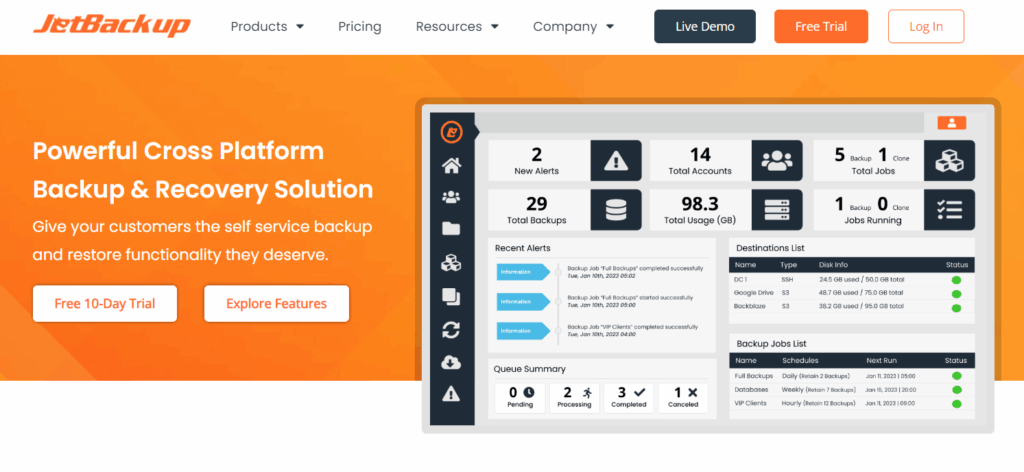
- Features: JetBackup offers file, database, and full-site backups. Users also gain on-demand restoration and local storage options.
- Off-site storage: Limited off-site storage options compared to other plugins.
- Pros: JetBackup is a basic backup solution that provides essential features for users with simple backup needs. Its free version makes it accessible to those with limited budgets.
- Cons: JetBackup’s limited features and off-site storage options may not be suitable for users with complex backup requirements or those who need more advanced functionalities.
- Use case: JetBackup is suitable for users with limited budgets who require local storage options and simple backup and restore processes. Brands looking to scale up will likely need a premium plugin solution that can expand in line with their growth levels.
Introducing Solid Backups — NextGen: The ultimate solution for secure WordPress backups

Solid Backups — NextGen is a comprehensive and reliable backup solution designed specifically for WordPress websites. Unlike the other products featured here, Solid Backups — NextGen is cloud-first, meaning backups are initiated from SolidWP’s cloud servers, with cloud resources operating and storing the backup. The most secure and reliable method available, our cloud-first approach offers users peace of mind, knowing their site data is protected by the most advanced features available:
- Secure offsite storage: Everything is stored on SolidWP’s servers in the cloud, ensuring that your site performance is unaffected. By storing backups offsite, users can protect their data from local server failures and security breaches, ensuring that their site can be restored even in a worst-case scenario.
- One-click restoration: Our one-click restore feature simplifies the process of recovering a site from a backup, allowing you to quickly and easily restore your site with minimal downtime. This feature is particularly valuable in emergency situations where swift action is necessary to keep your site online.
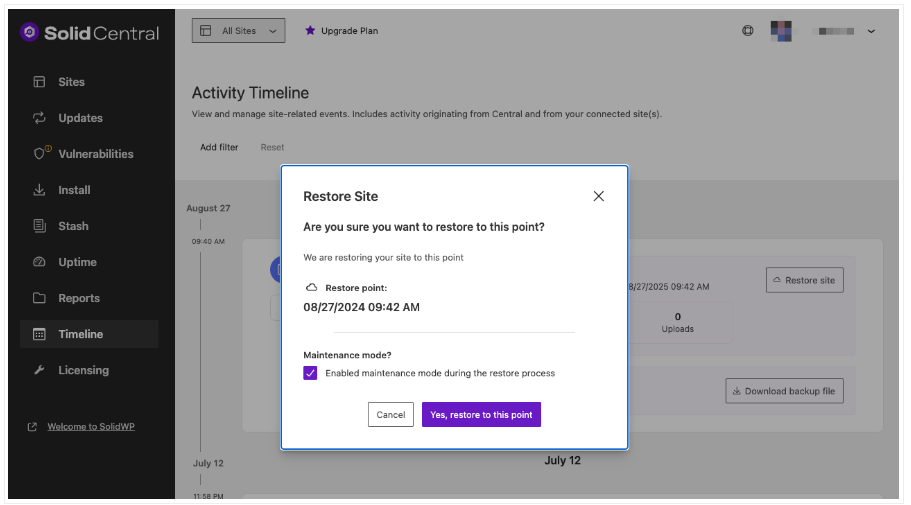
- Database rollback: The rollback feature allows users to revert their database to a previous state, providing a safety net in case of database errors or corruptions. This is particularly useful for sites that rely heavily on database-driven content.
- Activity timeline: Solid Backups features a visual timeline for easy identification of files and simple restoration, making the restoration process more efficient and user-friendly.
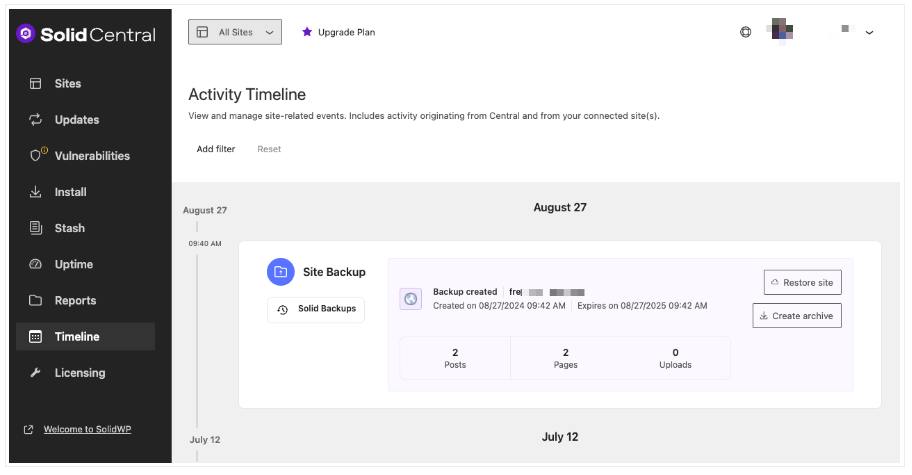
- Centralized dashboard: A centralized dashboard allows you to manage backups with ease across multisite setups, making Solid Backups — NextGen an ideal choice for users managing multiple WordPress sites under a single network.
- User experience and interface: Once set up, an intuitive and user-friendly interface makes our plugin accessible even for users with limited technical expertise.
- Customer support and updates: Our dedicated support team is available 24/7 to assist with any issues or questions, and the plugin is regularly updated to ensure compatibility with the latest version of WordPress.
“After comparing the plugin to five other leading WordPress backup solutions, it’s clear that Solid Backups — NextGen stands out due to its extensive feature set, ease of use, and reliability. With Solid Backups — NextGen, WordPress site owners can have confidence that their site data is always secure and easily recoverable, no matter what challenges the online world may bring!”
Ben Meredith, Director of Technical Support, SolidWP
Secure your website with Solid Backups — NextGen today
Your WordPress site is the beating heart of your brand. Losing critical data, experiencing prolonged downtime, or falling victim to security breaches can have devastating consequences for your reputation and bottom line. Put simply, having a premium backup solution is non-negotiable for any serious site owner.
Solid Backups — NextGen addresses the common challenges faced by WordPress users, offering a collection of features designed to minimize the risk of data loss, provide easy recovery options, and ensure secure storage alternatives. With automated offsite backups, one-click restorations, database rollback, and integration with cloud storage services, our backup solution brings unparalleled peace of mind.
Don’t wait until it’s too late! Try Solid Backups — NextGen today and experience the ultimate in WordPress site protection.
Join us for the next Solid Academy Webinar!
Free weekly webinars that will help you master WordPress and increase your business's bottom line.
What is a WordPress Phishing Attack?
Learn how to identify and prevent phishing attacks on WordPress websites.
Kiki SheldonWebsite Protection: 5 Ways to Keep Your Website Safe
Robust website protection is the shield that stands between your business and relentless cyber attacks. Prioritizing website protection enables businesses to fortify defenses to safeguard their online presence and preserve the trust of their customers in the face of ever-evolving cybersecurity threats.
Kiki Sheldon23 Ideas To Grow Your WordPress Business in 2023
WordPress is the most popular website-building platform worldwide, trusted by numerous brands. WordPress enables you to build a user-friendly and highly reliable site, together with tools and plugins to enhance your marketing and work like a lead magnet. All these features make WordPress the platform chosen by more than 43% of businesses globally.
SolidWP Editorial TeamSign up now — Get SolidWP updates and valuable content straight to your inbox
Sign up
Get started with confidence — risk free, guaranteed





