
Solid Security Pro’s Vulnerabilities feature identifies and manages security vulnerabilities within your WordPress system and plugins. Here’s a breakdown of how it typically works:
Scanning and Assessment:
Vulnerability Scan monitors websites regularly to identify potential vulnerabilities in WordPress installations or plugins. These can include outdated software, misconfigurations, and known security weaknesses.
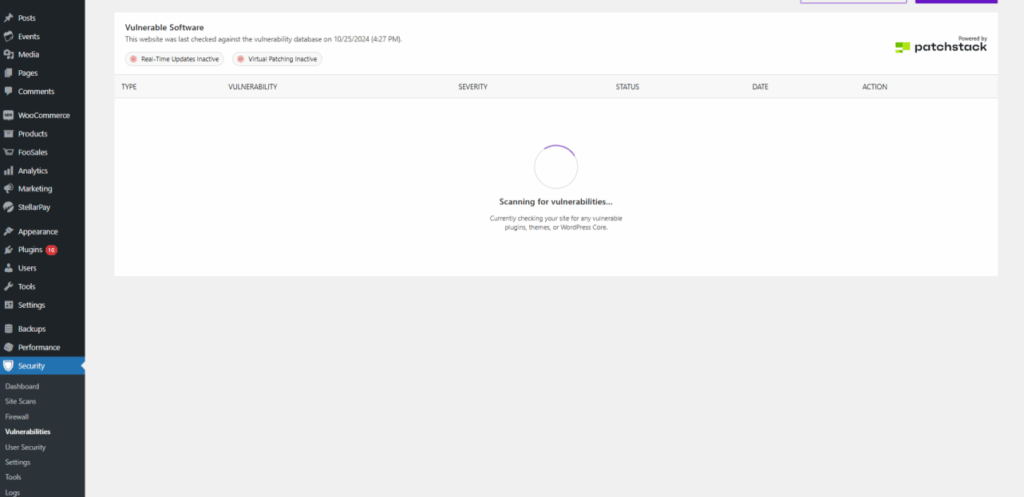
Vulnerability Database: Solid Security Pro leverages the Patchstack vulnerability database of known vulnerabilities to cross-reference findings and provide accurate assessments.
The vulnerability database is a valuable resource due to its centralized information on vulnerabilities, making critical data easily accessible. Regular updates ensure users are informed about new threats as they emerge. At the same time, each entry typically includes the Patchstack Priority score to determine the real-world risk to your site, affected software versions, and potential impacts, helping Solid Security Pro assess its risk.
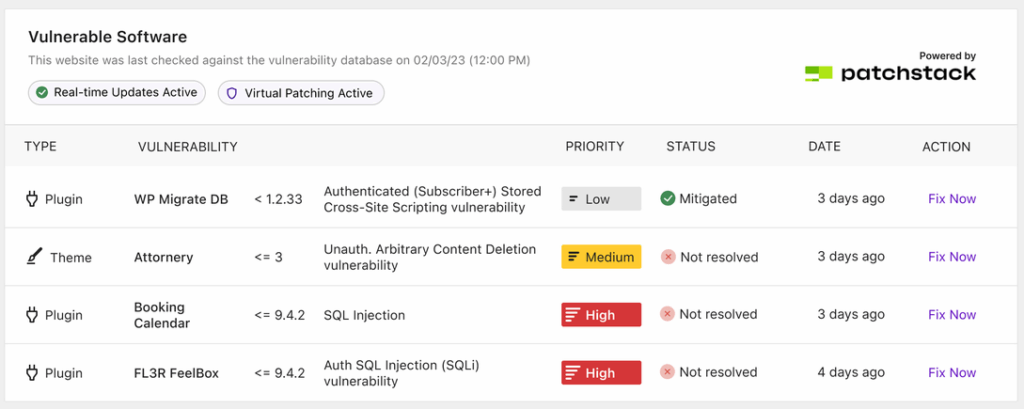
Severity Prioritization: Solid Security helps you assess and manage vulnerabilities based on their potential impact and likelihood of exploitation. By categorizing vulnerabilities into risk levels, Solid Security Pro users can prioritize which issues to address first, ensuring that critical vulnerabilities are patched promptly while guiding less urgent risks.
Solid Security Pro utilizes the Patchstack Priority vulnerability scoring system to provide a more accurate representation of the seriousness of security vulnerabilities. This system puts vulnerabilities into three categories (High, Medium and Low), meaning that users can direct their attention to where it’s needed first and reduce noise from vulnerabilities which are not an imminent threat.
High Priority:
- Expected to become actively exploited
- Known to be actively exploited already
- Receives a virtual patching rule from Patchstack
- Recommended time to patch/update: 0 days
Medium Priority:
- Could be exploited in more targeted attacks
- Is not yet publicly known to be exploited
- Receives a virtual patching rule from Patchstack
- Recommended time to patch/update: 7 days
Low Priority:
- Recommended time to patch/update: 30 days.
- Not expected to become exploited
- Not known to be exploited
- Does not require a virtual patching rule from Patchstack
Reporting and Alerts: The feature generates detailed reports outlining vulnerabilities, risk levels, and recommended remediation steps. Alerts can be set up to notify relevant personnel of critical vulnerabilities.
Remediation Guidance: Along with identifying vulnerabilities, the feature typically provides actionable remediation strategies to help organizations address these issues effectively.
Solutions: When a solution is available, Solid Security Pro will prompt you to Update the plugin to implement the fix for the vulnerability.
If no solution is yet available, it may urge you to deactivate the plugin until one is made available.
If neither option suits you, you can always Mute the notifications, which will prevent the Vulnerability reports from notifying you of the vulnerability in the future. Just know that leaving a vulnerability active on your site can put your website at risk.
Integration: It can often integrate with other security tools and platforms, enhancing overall security posture and facilitating better incident response. Solid Security is actively working to strengthen the website, but it does not offer malware protection through malware scanning. There is no perfect solution to security, and it’s often recommended to pair Solid Security Pro with a malware-scanning plugin to create optimal security on your websites.
Overall, Solid Security Pro’s vulnerability feature helps you proactively identify and manage security risks and improve your website’s cybersecurity.
Virtual Patching shows as Inactive #
This is usually caused by Patchstack not being licensed. This is easily resolved by heading over to Settings > SolidWP Licensing within your WordPress admin area. Once there, you should see a patchstack section where you can now license your site.



